iRunning 1.2.5 is on the App Store. The last few updates were about the run itself. This one is about what happens around it: whether your reps are getting faster, where on the route you slowed down, how to get ready before you start and how to wind down after. Below is what’s new, and where to find each part.
Workout Insights: are your reps getting faster?
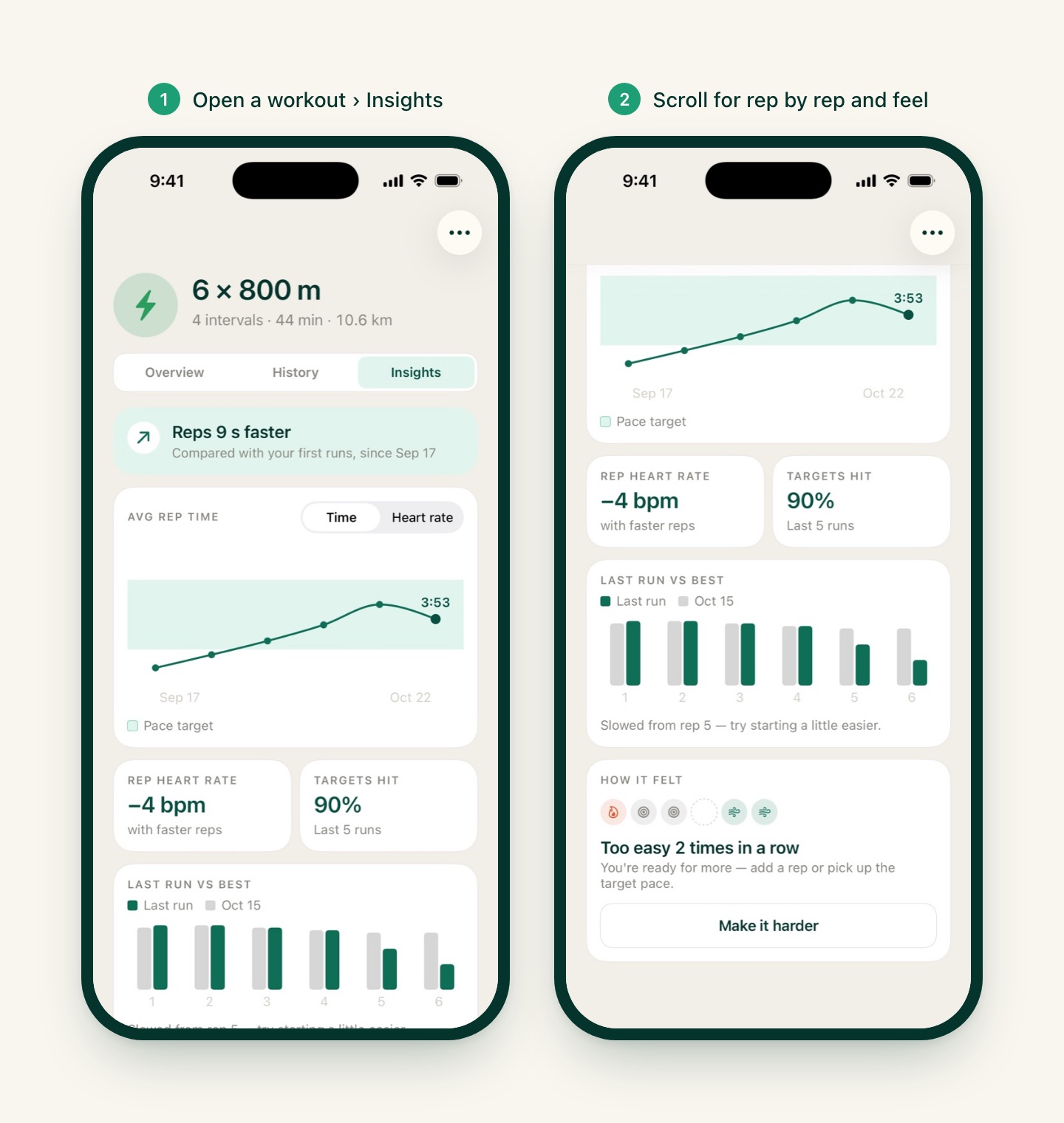
Every workout now has a third tab next to Overview and History: Insights. It follows your reps from run to run, so you can see whether repeating the same session is paying off.
It grows with your history:
- No runs yet: a short invitation with a button to start the workout.
- First run: your baseline.
- Second run: the rep chart appears.
- From the third run: a verdict in one line, like “Reps 9 s faster”, compared with your first runs.
Slide a finger along the chart to see each run’s average rep time. If you change a workout’s structure, older runs are still counted but no longer charted, since their reps don’t match anymore.
Where to find it: open any workout (from Workouts, or My workouts on Home) and tap Insights. The verdict and the rep chart are free. Premium adds heart rate on the chart, your rep heart rate and how often you hit the target pace, your last run against your best one rep by rep, and a feel trend with a one-tap “Make it harder” or “Make it easier” that takes you straight to the workout editor.
Pace, up close
Your run summary used to give you one average pace. Now that number opens a whole screen.
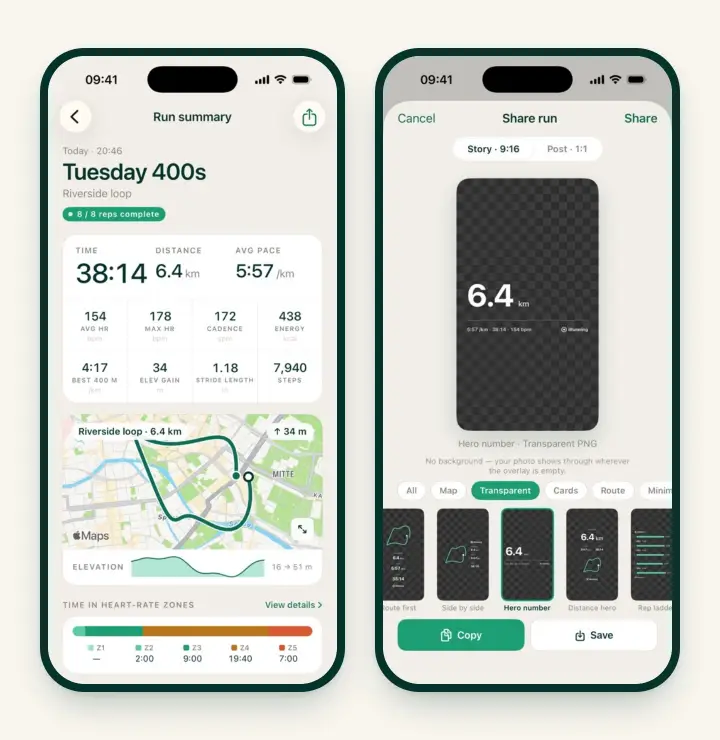
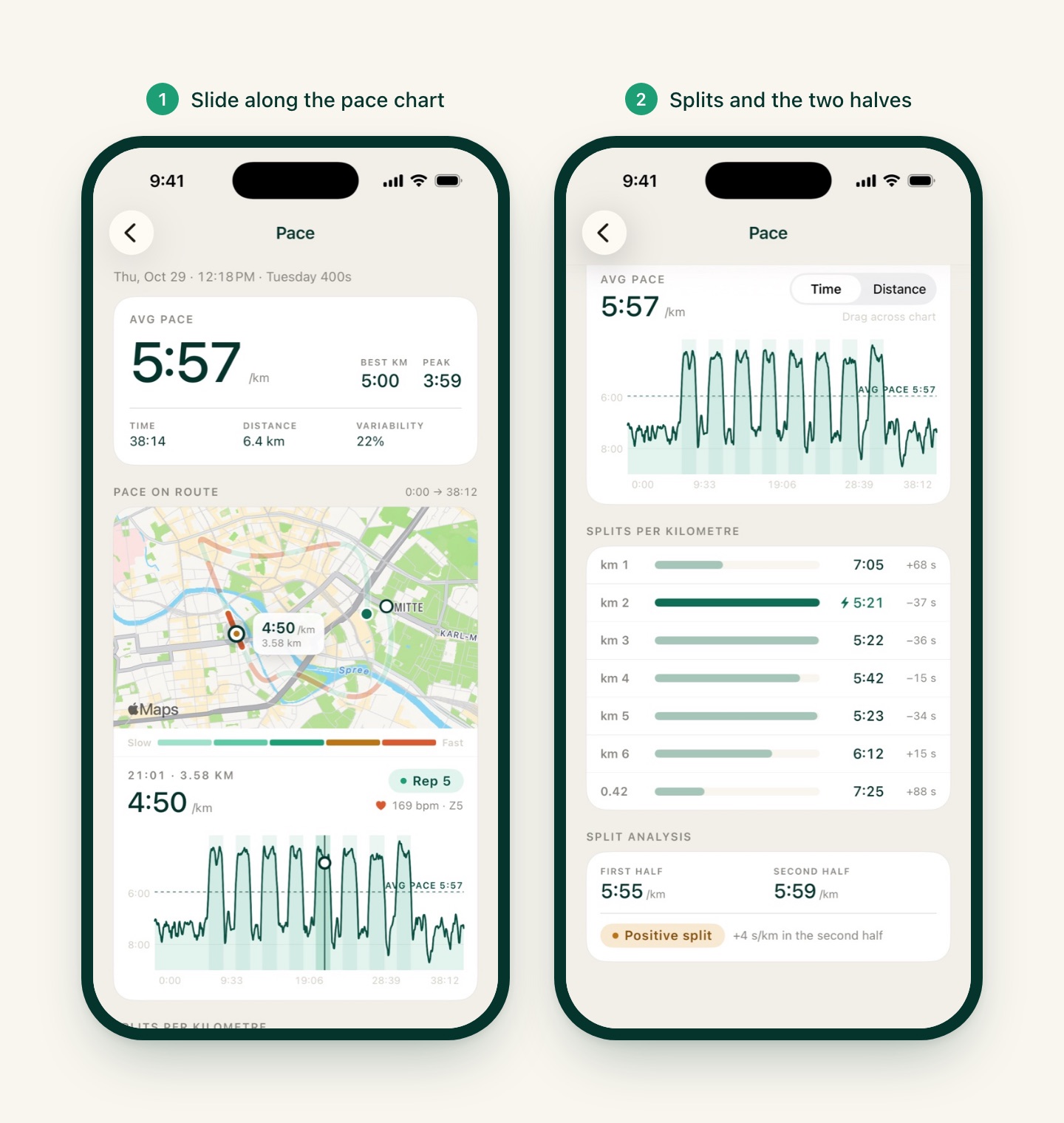
Where to find it: open a run in History and tap Avg pace (or your best split, like Best 400 m). The new Pace screen shows:
- Your route colored by pace, from slow to fast, so you can see exactly where the hills and the hard reps were.
- A pace chart you can read by time or by distance. Slide a finger along it and a marker moves on the map, showing your pace, distance and heart rate at that moment and which rep you were in.
- Splits per kilometre or mile. Your fastest one now gets a small bolt.
- First half vs second half, with a plain verdict: negative or positive split.
The heart rate zones screen works the same way: tap View details next to Time in heart-rate zones and slide along the heart rate chart to see the zone on the map.
Warm-up and cool-down guides
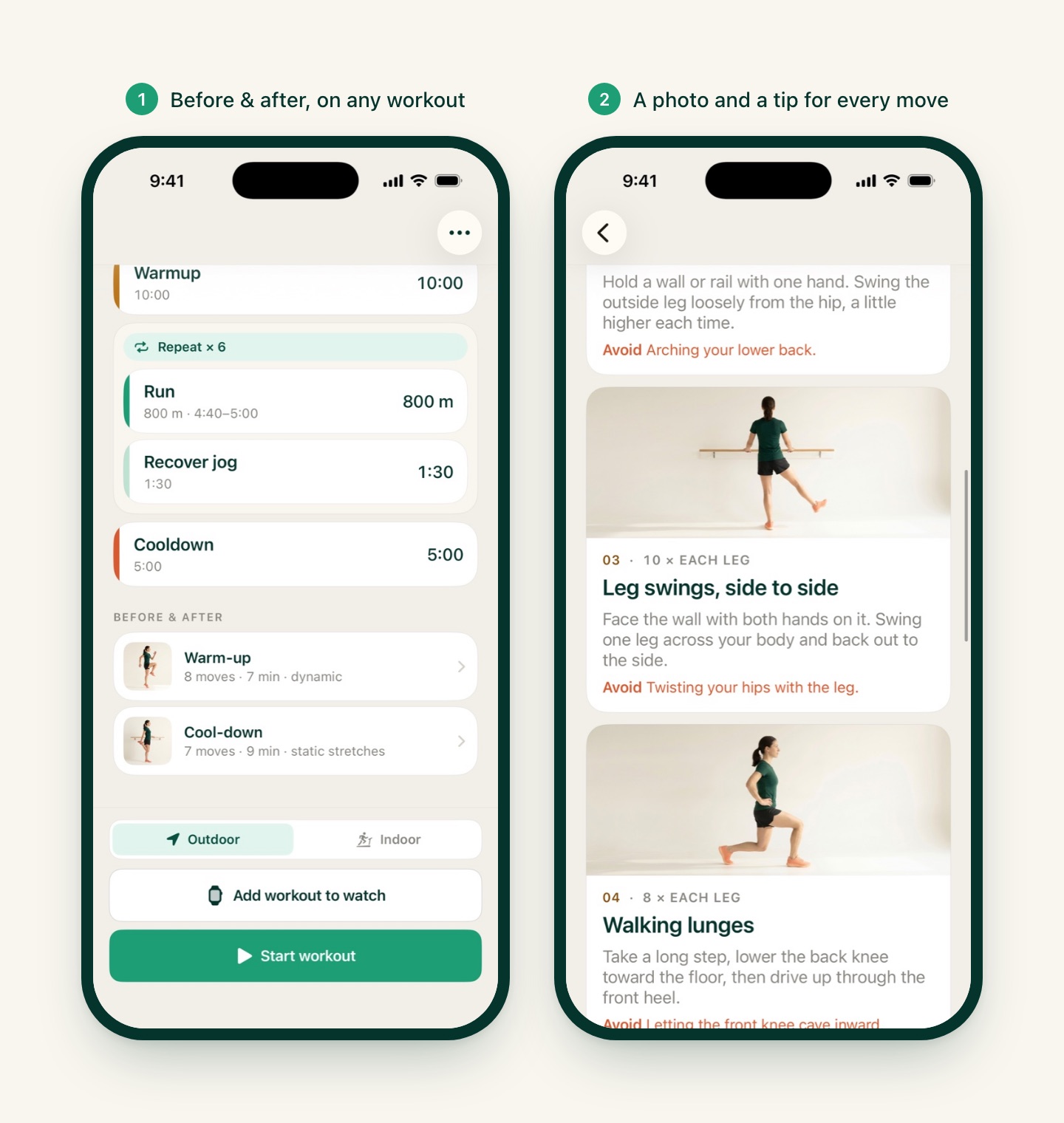
Two short routines are now built into the app, each move with a photo, how long to do it, how to do it and the one mistake to avoid:
- Warm-up: 8 dynamic moves, about 7 minutes. Brisk walk, leg swings, lunges, hip circles, calf raises, high knees, butt kicks, plus optional strides before intervals or a tempo run.
- Cool-down: 7 static stretches, about 9 minutes, finishing with a few slow breaths.
Where to find them:
- On any workout, scroll the Overview below the structure to Before & after. Open the warm-up from here and it ends with a Start workout button, so you go straight from the last move into the run.
- Or anytime from Settings › Guides › Warm-up & cool-down.
The guides are free for everyone. Why no static stretching before the run? Holding long stretches on cold muscles does little to prepare them; dynamic moves raise your heart rate and loosen the hips and calves instead. The stretches belong after.
Your run video, ready when you finish
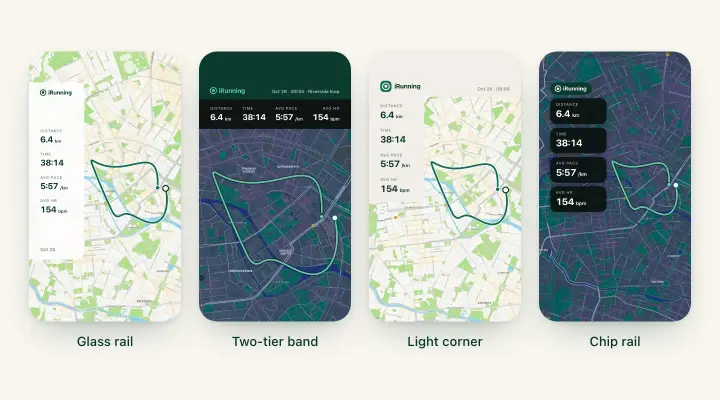
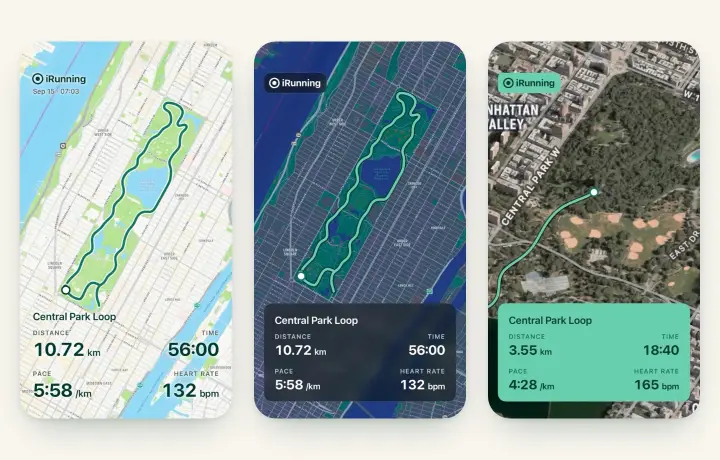
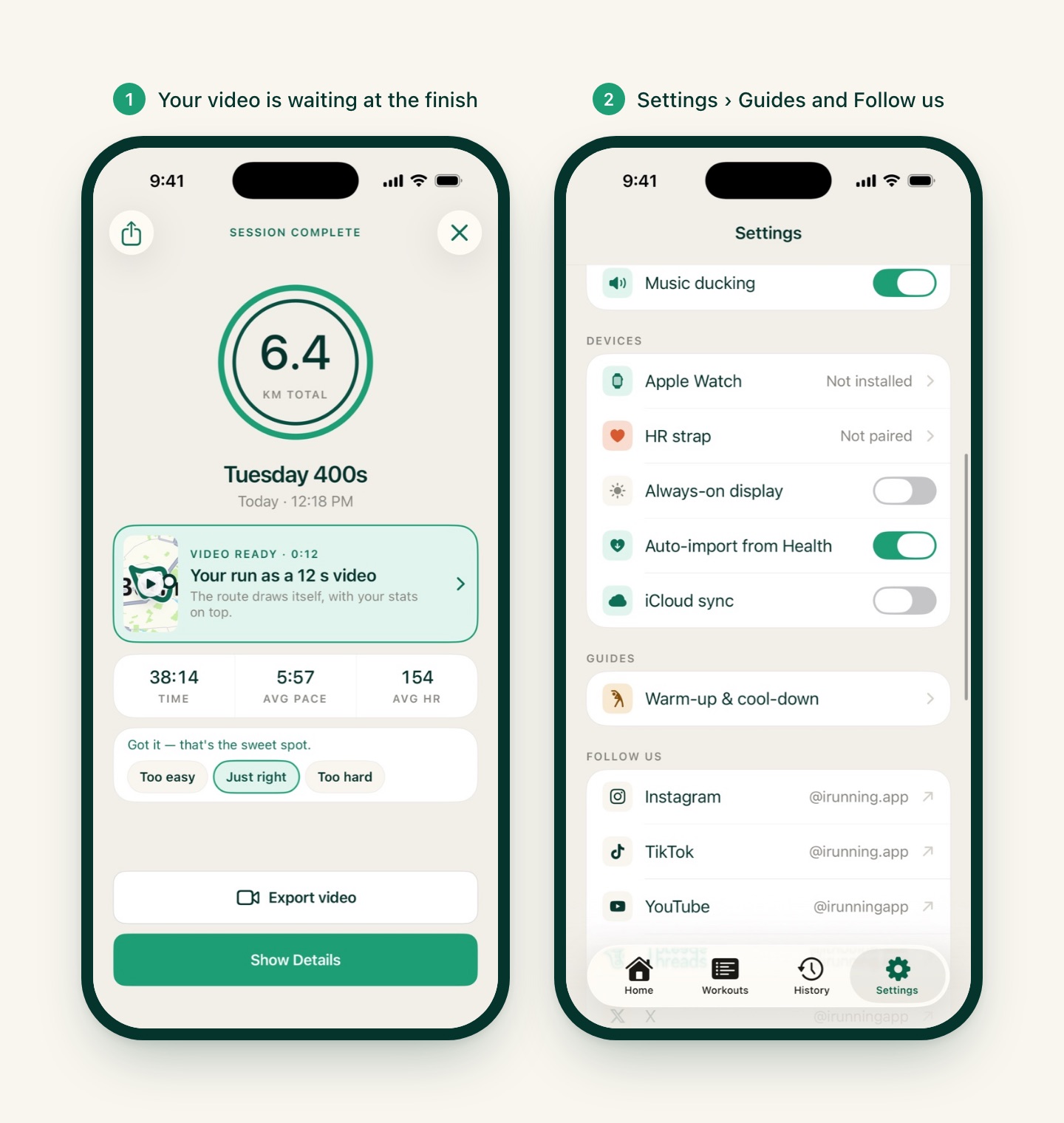
The Workout complete screen now has a Video ready card: your route drawing itself in a 12-second video, with your stats on top. Tap the card or Export video to open it in the video editor and share it in one go.
- Share (top left on the same screen) now opens every export option, the same list as in History: image, video, GPX, FIT and Strava.
- In dark mode, video and photo cards now open on a dark map instead of always a light one.
Video export is still free. The full walkthrough is in Turn Your Run Into a Video for Instagram Stories and TikTok.
Also in 1.2.5
- Follow iRunning on Instagram, TikTok, YouTube, Threads, X and Facebook, straight from Settings › Follow us.
- Translation fixes in every language.
How to get it
Update to iRunning 1.2.5 on the App Store. Then open the workout you run most often and tap Insights: if you already have a few runs of it, your verdict is waiting. Before your next session, try the warm-up from Before & after.
Missed the last update? iRunning 1.2.4 added the 3·2·1 countdown before each interval, a way to go back a step mid-run and a live map that follows you.
Thanks for running with us. Keep the feedback coming!